

3 ways money flows into your KiwiSaver account
KiwiSaver can bring together money from three places. One comes from your pay. The other two can make that money go further.

Your contributions
Choose to contribute 3.5, 4, 6, 8 or 10% of your before-tax pay.
A little more saved each month can make a meaningful difference later.

Employer contributions
If you’re employed, your employer usually contributes at least 3.5% too.

Government contribution
The government can add up to $260.72 a year, provided you meet the eligibility rules and put in some money yourself.
What’s the KiwiSaver minimum contribution rate?
Pay slips already have plenty of numbers competing for attention. This one's worth knowing. For employees, the standard minimum is currently 3.5% of before-tax pay. Haven’t chosen a rate? The minimum applies automatically.
From 1 April 2028, the minimum will increase to 4%.
Not sure what your rate is?
You can check your payslip, or use myIR to check or change it.

Employer contributions
Your own contributions tend to get most of the attention. They’re right there on the payslip, after all.
But while you’re aged 16 to 64, eligible and contributing from your pay, your employer will usually contribute at least 3.5% of your before-tax pay. Some employers contribute more.
Employer contributions are taxed before they reach your KiwiSaver account. The amount arriving in your account will therefore be less than the full 3.5%.

More than one job?
Contributing through more than one job could mean each employer contributes too.
Contributing more than 3.5%?
Your employer only has to contribute 3.5%, even if you choose a higher rate.
Using the temporary 3%?
Your employer can choose to reduce its contribution to 3% for the same period.
How the government contribution works
The KiwiSaver government contribution has a refreshingly straightforward idea behind it: put in some of your own money and, provided you qualify, the government puts in some too.
It adds 25 cents for every dollar you contribute, up to $260.72 a year.
Contributing at least $1,042.86 between 1 July and 30 June gets you to the full amount. Put in less and you may still receive a smaller contribution. So it isn’t full amount or nothing.
Can you get it?
You will need to:
be aged 16 to 64
have taxable income of $180,000 or less a year
mainly live in New Zealand
put some of your own money into KiwiSaver during the year.
If you turn 16 or 65 during the year, the amount is adjusted for the part of the year you’re eligible.
You don’t need to apply. Smart claims it for you.
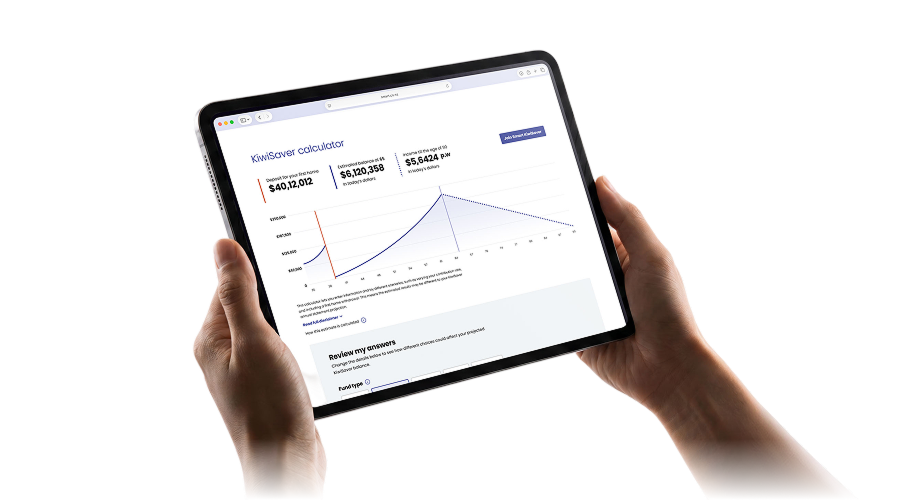
See how your contributions could add up
Use our KiwiSaver Calculator to see how your fund choice and different contribution rates could affect your projected balance.
The result is an estimate, not a guarantee. Your actual balance will depend on factors including contributions, investment returns and how long your money stays invested.
Room for a little extra?
You can top up your KiwiSaver account at any time.
If you’re self-employed, contracting or not on PAYE, you decide how much and how often to put in.
What you put in yourself also counts towards the $1,042.86 needed for the full government contribution, provided you qualify.
Pay directly to Smart
Log in to your Smart account to find our payment details.
Paying Smart directly usually means the money reaches your KiwiSaver account sooner.
Pay through Inland Revenue
You can also pay through Inland Revenue using your bank’s Pay tax option. Choose KiwiSaver/KSS as the payment type.
How to change your contribution rate
Life changes for all of us. Your contribution rate can too. You can change your contribution a few ways.
You can choose from 3.5, 4, 6, 8 or 10%. If you want to change your rate, you can usually do so once every three months, or sooner if your employer agrees.

Through myIR
Log in to myIR, open your KiwiSaver section and choose Change KiwiSaver contribution rate. Pick your new rate and submit it. Inland Revenue will let your employer know.
Through your employer
Ask your payroll or HR team for a KS2 KiwiSaver deduction form, choose your new rate and return it. Your employer will apply the change from your next pay run.
Common questions
Explore common questions people ask about KiwiSaver contributions.
10% is the highest contribution rate that can be deducted from your pay, but you can still put in more by making extra contributions directly to Smart or through Inland Revenue.
No. From 1 July 2025, the maximum annual government contribution changed from $521.43 to $260.72. If you qualify, the government now adds 25 cents for every dollar you contribute, up to that maximum.
You may still hear the government contribution called the member tax credit. That was the old name, today it’s simply called the government contribution.
Can't find what you're looking for? Check out our FAQs page.


