
The SuperLife KiwiSaver Scheme is now Smart
It's the same Scheme with a smarter experience, managed by the same company and investment team - now under the Smart name.

We have a new name and a new digital experience, but the foundations of your KiwiSaver investment haven’t changed. Your savings remain invested, with the same investment approach.
What is new is a simpler way to stay on top of your KiwiSaver account.
You’ll have a new website and portal, a new Smart Invest NZ app, useful new tools and no annual admin fee.
Set up secure access to your Smart account
As part of the move to Smart, we’re adding additional security to your account. All you need to do is set up your new Smart login and verify your email address.
This extra check helps protect access to your account.
Once you’re set up, the same login will work for your Smart account and the Smart Invest NZ app.
Received a set up email?
If we have your email address, we've sent you an email with a unique link to set up your new Smart login.
For the simplest way to get started, use the link in the email we sent you. You only need to set up your new login once.
Haven't received an email?
Don't worry. We can help you get set up.
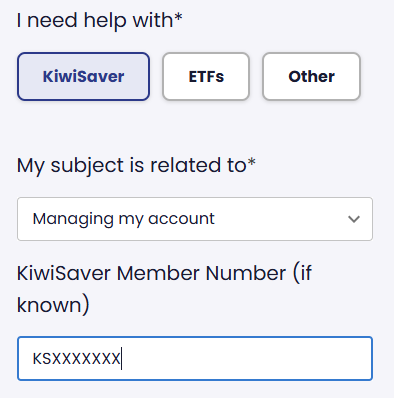
If you haven't received your setup email, or you're not sure which email address we have for you, get in touch and we'll help you access your existing KiwiSaver account.
|
|
Meet the Smart Invest NZ app
See your balance, contributions and returns, all in one place. Once you’re set up, use the same login for the Smart Invest NZ app.
Using an iPhone? Our app is coming to the Apple App Store soon. In the meantime, you can access your KiwiSaver account online in your member portal.


Make extra KiwiSaver contributions? Check your payment details.
If your KiwiSaver contributions come through your employer or Inland Revenue, you don't need to change anything.
If you make additional contributions by bank transfer, automatic payment or direct debit, there are some changes to make
Bank transfer or automatic payment
The Smart KiwiSaver Scheme has new bank account details for additional contributions.
In your bank account, select Smart KiwiSaver Scheme as the payee or use the following details:
Account name: Public Trust ASF Smart KiwiSaver Scheme
Account number: 12-3244-0061196-00
Payment details: Enter your KiwiSaver member number and surname in the reference fields.
If you have an automatic payment set up, update the saved payee with these details before your next payment.
Make contributions by direct debit?
As part of the move, the scheme will have a new bank account. This means existing direct debit authorities will be cancelled from 13 November. Employee and employer contributions via Inland Revenue are not affected.
To keep your contributions going by direct debit, you'll need to provide a new authority. We are contacting members by email or phone to provide steps to confirm your authority. If you don't receive an email or call, send us a message on our Contact us page.
Have other SuperLife investments?
Only your KiwiSaver account has moved to Smart. Your other SuperLife investments haven't changed so you’ll continue to access and manage them through your SuperLife member portal.
A few other things you may notice
Some names have changed to reflect the Smart brand. For example, SuperLife Age Steps is now Smart Steps.
Your investment options and our investment approach haven’t changed.
Has the way I see my fees changed?
Your total management fees haven't changed, but you may notice a difference in how some management fees appear in your account.
A portion of your fees will now appear as deductions from your account rather than being reflected in the value of the underlying investments.
This doesn't change your total management fees. It changes how a portion of those fees appears in your account.
Questions about the change?
Is Smart a new KiwiSaver provider?
No. Smartshares Limited (Smart) is the issuer and manager of the Smart KiwiSaver Scheme. Smart is part of the NZX Group.
Will I need a new login?
Yes. As part of the move to Smart, we’re adding additional security to your account. This extra check helps protect access to your account. You'll need to set up a new Smart login and verify your email address.
Once you're set up, the same login will work for your Smart account and the Smart Invest NZ app.
Is anything happening to my KiwiSaver balance?
Your balance remains invested. You don’t need to choose a different investment option because of the change.
I make extra contributions. What do I need to change?
If you make extra contributions by bank transfer or automatic payment, update your payment instructions with the new Smart KiwiSaver Scheme bank account details above.
Your employee and employer contributions via Inland Revenue aren't affected.
What happened to my existing direct debit?
Your existing direct debit was cancelled from 13 November as part of the move to the Smart KiwiSaver Scheme. To keep your contributions going, you'll just need to confirm you've read and accepted the direct debit terms and conditions. If you haven't received an email or call, send us a message on our Contact us page.
What if I make a payment to the old bank account?
Don’t worry. We will still apply any funds received in the old account into your KiwiSaver account, but there may be potential delays in applying it into your KiwiSaver account.
For future payments, please update your saved payee or automatic payment to use the new Smart KiwiSaver Scheme bank account details on this page.
Does the Smart KiwiSaver Scheme have an annual admin fee?
No, there is no annual admin fee.
Where can I find my previous statements?
You can find your previous annual statements and tax certificates in your Smart member portal and Smart Invest NZ app.
How often will I receive a KiwiSaver statement?
Statements for the Smart KiwiSaver Scheme will now be provided annually, rather than weekly, monthly, quarterly or twice yearly.
Need an update in between?
You don't have to wait for your annual statement to check in on your account. Log in to your Smart account and select Generate a report.
Your annual statement and tax certificate will also be available through your Smart account.
I have a financial adviser. Can they help me with these changes?
Yes. We’re keeping financial advisers informed about the move to the Smart KiwiSaver Scheme, so your adviser can help you understand what’s changing and discuss what it means for you.
For account access, payments or other administration, get in touch with us directly through our contact form.
Got questions? Start here
KiwiSaver can be a long game, but your questions don't need to wait.
Get in touch through our contact form, or call us on 0800 27 87 37.
Related articles
 The SuperLife KiwiSaver Scheme is becoming the Smart KiwiSaver Scheme. We’re building a better KiwiSaver experience, while keeping the things that matter the same.

 Smartshares rebrands to SmartOur new funds reflect global investment trends and give you easy access to thematic and international investment options.
 Markets have shifted. Here’s what to focus on.Stuart Millar, Chief Investment Officer discusses markets in Q1 of 2026